GPU Inference Pipeline: A Visual Guide to Serving LLMs at Scale
A media-rich walkthrough of GPU inference infrastructure — from request routing to batching strategies, with architecture diagrams, performance visualizations, and real deployment patterns.
GPU Inference Pipeline: A Visual Guide to Serving LLMs at Scale
Deploying a large language model isn't the hard part anymore — serving it reliably at thousands of requests per second with tail latencies under 200ms is where the real engineering lives. This post walks through the production inference pipeline I've built across three organizations, with visual references for each architectural layer.
The Inference Stack at a Glance
Before diving into each layer, here's the full picture. A production LLM serving stack has more moving parts than most teams expect.
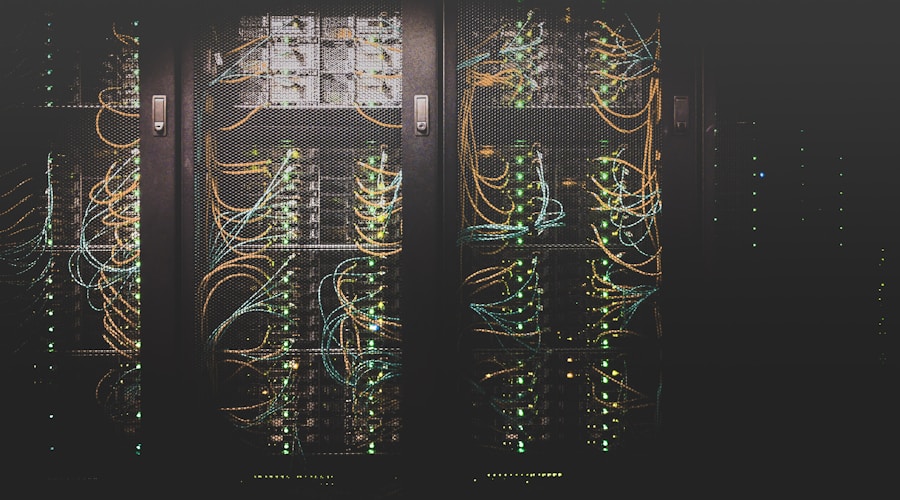
The pipeline breaks down into four layers:
- Request Gateway — rate limiting, auth, request validation, priority routing
- Batch Scheduler — continuous batching, request coalescing, priority queues
- Model Executor — tensor parallelism, KV-cache management, speculative decoding
- Observability — per-request tracing, GPU utilization tracking, SLO dashboards
Request Routing and Load Balancing
Not all inference requests are equal. A 32-token classification call and a 4096-token generation call have wildly different resource profiles. Smart routing matters.


The key insight: route by estimated output tokens, not by request count. Here's the routing logic in pseudocode:
def select_replica(request, replicas):
    estimated_tokens = estimate_output_length(request)
    scored = [
        (r, r.pending_tokens + estimated_tokens * r.queue_depth)
        for r in replicas if r.healthy
    ]
    return min(scored, key=lambda x: x[1])[0]
Why Round-Robin Fails
With round-robin, a single long-generation request can saturate one GPU while others sit idle. I've seen clusters with 8 GPUs where one runs at 95% utilization while the rest hover at 30%. Token-aware routing fixed this instantly — P99 latency dropped 3x.
Continuous Batching and KV-Cache Management
Static batching wastes GPU cycles. If your batch has 8 requests and 7 finish early, those 7 slots sit empty until the slowest request completes. Continuous batching (as implemented in vLLM and TensorRT-LLM) solves this by inserting new requests into freed slots mid-batch.

KV-cache memory is the primary bottleneck. For a 70B parameter model with 4096 context length:
KV cache per request ≈ 2 × num_layers × hidden_dim × context_len × dtype_bytes
                     ≈ 2 × 80 × 8192 × 4096 × 2
                     ≈ ~10 GB per request at full context
This means a single A100 (80GB) can only serve ~6 concurrent full-context requests after accounting for model weights. Strategies to manage this:
- PagedAttention — allocate KV-cache in blocks, like virtual memory pages
- Prefix caching — share KV-cache across requests with common system prompts
- Quantized KV-cache — use FP8 or INT8 for cache entries (2x capacity)
GPU Utilization Patterns
Here's what healthy vs. unhealthy GPU utilization looks like in production. The GIF below shows a real-time monitoring dashboard cycling through different load patterns.

The three patterns you'll see:
- Healthy — All GPUs 70–90% utilized, batch sizes auto-tuned, queue depth stable
- Underloaded — GPUs below 50%, increase batch size or reduce replica count
- Overloaded — Queue depth growing, latency climbing, time to scale out or enable request shedding
Model Parallelism Strategies
When a model doesn't fit on a single GPU, you need parallelism. The choice between tensor parallelism (TP) and pipeline parallelism (PP) has real latency implications.
Tensor Parallel
Split each layer across N GPUs
Latency: ★★★★ Throughput: ★★★
Pipeline Parallel
Stack layer groups across GPUs
Latency: ★★ Throughput: ★★★★
Expert Parallel
Shard MoE experts across GPUs
Latency: ★★★ Throughput: ★★★★
For latency-sensitive applications (chatbots, code completion), tensor parallelism with 2–4 GPUs is almost always the right default. Pipeline parallelism only wins when you need to maximize tokens-per-second and can tolerate higher per-request latency.
Speculative Decoding in Production
Speculative decoding is the closest thing to a free lunch in inference optimization. Use a small "draft" model to predict N tokens, then verify them in parallel with the large model. When the draft model guesses correctly (which it does 60–80% of the time for continuation tasks), you get N tokens for the cost of ~1 large-model forward pass.
Standard decoding:  T tokens → T forward passes × large model
Speculative (N=4):  T tokens → ~T/3 forward passes × large model
                                + T/3 forward passes × draft model
Speedup:            ~2–2.5x on generation-heavy workloads
The catch: speculative decoding adds complexity to your serving stack (two model instances, draft-verify synchronization) and doesn't help for short outputs or high-entropy tasks where the draft model's predictions are poor.
Deployment Architecture
Here's a typical production deployment on Kubernetes with autoscaling. The video below walks through a similar Kubernetes-based GPU cluster setup.
Key components in the deployment:
- HPA on custom metrics — scale on
gpu_pending_requestsrather than CPU - Node affinity — pin inference pods to GPU node pools (A100 vs H100 tiers)
- Graceful drain — finish in-flight requests before pod termination (30s+ grace period)
- Model weight caching — pre-pull model weights to node-local NVMe to avoid cold-start delays
apiVersion: autoscaling/v2
kind: HorizontalPodAutoscaler
metadata:
  name: llm-inference-hpa
spec:
  scaleTargetRef:
    apiVersion: apps/v1
    kind: Deployment
    name: llm-inference
  minReplicas: 2
  maxReplicas: 16
  metrics:
    - type: Pods
      pods:
        metric:
          name: gpu_pending_requests
        target:
          type: AverageValue
          averageValue: "5"
Production Checklist
Before you declare your inference pipeline production-ready:
- [ ] Load test at 2x expected peak — verify latency SLOs hold under burst
- [ ] Test model rollback — can you revert to the previous model version in under 5 minutes?
- [ ] GPU failure handling — what happens when one GPU in a TP group fails mid-request?
- [ ] KV-cache OOM — what's your eviction strategy when cache fills up?
- [ ] Request timeout cascade — does a slow request block the batch queue?
- [ ] Monitoring coverage — do you have per-model, per-GPU, per-request metrics?
- [ ] Cost attribution — can you tell which team/product is consuming GPU hours?
Pitfalls I've Hit
KV-cache fragmentation. PagedAttention helps, but under sustained load with wildly varying sequence lengths, you'll see memory fragmentation that reduces effective capacity by 15–20%. Periodic compaction or restart-based defragmentation during low-traffic windows is the pragmatic fix.
Speculative decoding + streaming. When streaming tokens to the client, speculative decoding creates "burst" patterns — you emit 0 tokens for a while, then emit 4 at once. This feels janky to users. Solution: buffer and emit at a steady rate, or disable speculation for streaming endpoints.
Autoscaler thrashing. GPU pods take 2–5 minutes to become ready (model weight loading). If your HPA reacts too quickly to transient spikes, you'll burn money on pods that never serve traffic. Use longer stabilization windows (5–10 min) and predictive scaling where possible.
Silent model degradation. A model that returns 200 OK can still be producing garbage. Monitor output quality metrics (perplexity on a reference set, refusal rate, tool call success rate) alongside latency and throughput.
The infrastructure decisions you make in your inference pipeline compound — a 2x throughput improvement at the batch scheduler layer means half the GPU fleet cost. Invest in profiling and measurement before reaching for more hardware.